 By Caleb Morgan
Updated November 2026
A cycling training plan app can turn vague goals like “ride more” into a week-by-week schedule with clear efforts, rest days and progress you can measure. This guide shows you how to choose one that fits your goals, set it up correctly, and use it without overdoing it. By the end, you will have a plan you can follow for the next eight to twelve weeks.
Step 1: Define Your Goal Before You Download Anything
Most apps ask what you want to achieve, and your answer shapes the whole plan. A beginner who wants to ride a 30-mile loop without stopping needs a different schedule than someone preparing for a century ride or a triathlon bike leg. Write down one goal, a target date, and how many days per week you can realistically ride. If you are new to the sport, the Beginner Cycling Training Plan: Your First Eight Weeks structure is a useful reference point for what early progress looks like.
Shopping for one? See our guide: Cycling Strength Training Plan: 3 Best Options for Riders in 2026.
Step 2: Choose an App Based on Inputs and Flexibility
Good apps ask for more than your goal. They want your current weekly mileage or ride time, your available days, and whether you have a power meter, heart rate monitor or only a basic bike computer. Check these features before committing:
- Input method: Does it use power (watts), heart rate, or perceived effort? Beginners without a power meter should choose apps that work well with heart rate or effort ratings.
- Adjustability: Can you move workouts, skip a day, or reduce volume when you feel tired?
- Sync: Does it connect to the ride-tracking app or device you already use?
- Explanations: Does each workout say why it exists and what effort it should feel like?
Manufacturers and reviewers describe these differences in their documentation, so read the feature list carefully rather than relying on app store descriptions alone.
Step 3: Set Up Your Zones and Baseline Correctly
Most plans depend on training zones, so accurate setup matters. If the app asks for a functional threshold or maximum heart rate, avoid guessing. Use a recent ride or a simple test: after a proper warm-up, ride as hard as you can sustain for about 20 minutes and use 95 percent of your average heart rate or power as your threshold estimate. If you have a medical condition or are returning to exercise after a long break, talk to a doctor before any hard testing.
Step 4: Follow the Weekly Structure, Not Just Each Day
A solid beginner week usually includes two or three easy rides, one moderate ride, and one longer endurance ride, with at least one full rest day. Use this as a quick check against any plan you pick:
- Confirm that at least one day is completely off the bike.
- Check that most rides are at an easy, conversational effort.
- Make sure hard efforts do not fall on back-to-back days.
- Look for a gradual weekly increase, usually no more than about 10 percent more time or distance than the week before.
Step 5: Track Progress and Adjust Without Guilt
Review your plan weekly. If you consistently find workouts too hard, reduce intensity before you reduce rest. If you feel strong and bored, add a little duration rather than jumping straight to harder intervals. Many beginners find that building endurance slowly is more useful than chasing numbers early on; the guide on Building Cycling Endurance and Recovering Well as a Beginner covers this in more depth.
Common Mistakes to Avoid
- Starting a plan that is more demanding than your current fitness.
- Ignoring rest days because the app shows a ride scheduled.
- Doing every workout at maximum effort instead of keeping easy rides easy.
- Skipping the setup step and using default zones that do not match your body.
- Changing apps every few weeks before a plan has had time to work.
Recommended Gear
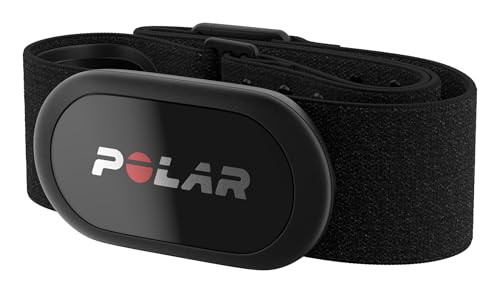
A heart rate monitor helps you stay in the zones your plan asks for, especially if you do not have a power meter. Search for View on Amazon.
A basic bike computer with cadence and speed display lets you see whether you are hitting planned efforts on the road. Search for View on Amazon.
FAQ
Do I need a power meter to use a cycling training plan app?
No. Many apps work with heart rate or perceived effort, and beginners often train well using those methods. Power is useful later if you want more precise control.
How long should a beginner plan last?
Most beginner plans run six to twelve weeks. Shorter plans suit a specific event, while longer ones give your body more time to adapt gradually.
What if I miss several workouts in a row?
Resume with the next scheduled easy ride rather than trying to catch up. If you were away for more than a week or two, consider repeating a lower-intensity week before continuing.
Conclusion
Pick an app that matches your goal, inputs and schedule, then set up your zones carefully. Follow the weekly structure, keep easy rides easy, and adjust as you learn. Consistent, moderate training beats a perfect plan you cannot finish.
Related reading
- Triathlon Cycling Training Plan: A Step-by-Step Guide for Beginners
- Cycling Training Plan PDF Free: A Step-by-Step Guide for Beginners
Ready to choose one?
About Caleb Morgan
Caleb Morgan is part of our editorial team and reviews and edits our cycling for beginners guides, checking product details against manufacturer specifications and owner feedback.